
Update Storyboards When Product UI Ships Mid-Campaign
Keep teach Reels accurate when UI changes mid-campaign: triage cosmetic vs flow vs claim, re-board only what changed, and version-label beats.
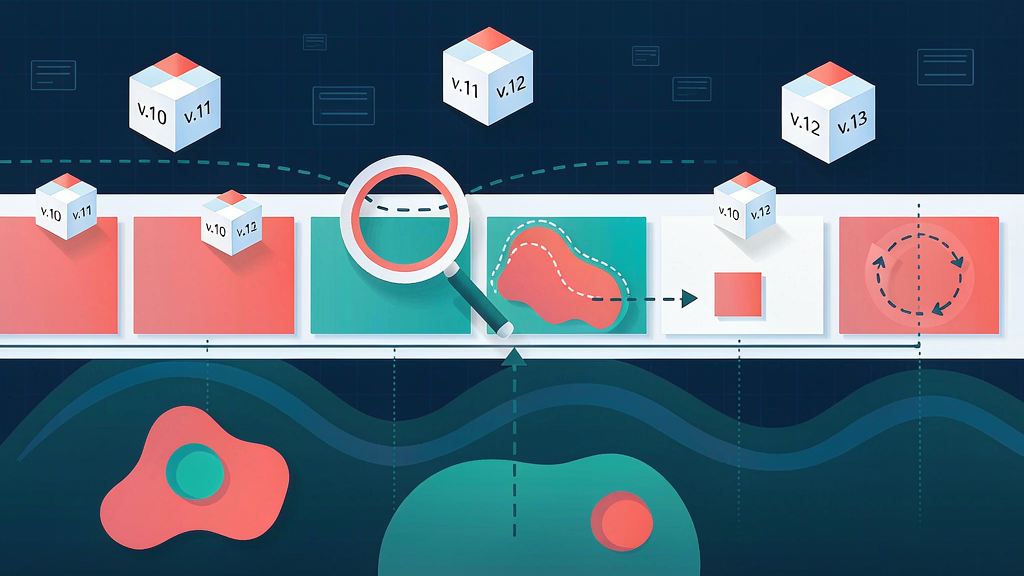
Update Storyboards When Product UI Ships Mid-Campaign
Keep teach Reels accurate when the product changes under you by triaging cosmetic vs flow vs claim changes—then re-boarding only the beats that need it.
PMM and content ops running live AI-video campaigns cannot full-rerender every time a button moves. They also cannot ship screenshots of a UI that no longer exists. Related tactics: seasonal layer swaps on a locked board and regeneration mistake avoidance.
Change triage
| Change type | Examples | Board action | Render action |
|---|---|---|---|
| Cosmetic | Color, icon swap, spacing | Note UI version; maybe still swap | Local still replace if visible |
| Flow | Steps reorder, new required field | Re-board affected mechanism/proof | Regen those beats |
| Claim | Feature removed, behavior changes outcome | Re-board claim spine + CTA | Regen or unpublish |
Cosmetic is not always "ignore"—if the crop features the old icon as the subject, update the still. Flow changes almost always touch mechanism captions. Claim changes are editorial events, not polish.
Version labeling on the board
Add to every proof/UI beat:
ui_version: date or release tagchrome_hash: short note ("Billing export dialog Oct-28")depends_on: epic/ticket id if useful
When a release ships, search boards by ui_version older than the release and triage. Without labels, teams argue from memory and regenerate everything.
Re-approve only changed beats
Workflow:
- Diff the product change against beat jobs (not against whole scripts)
- Mark beats
unchanged|still-swap|re-board - Update only
re-board/still-swapframes - Stakeholder re-approves the diff pack, not the entire campaign
- Regenerate locally; leave locked teaches untouched
This mirrors layer-swap thinking for seasonal work—change the layer, not the spine.
Communication template for stakeholders
Paste into Slack/email:
- What changed in product (one paragraph)
- Which live Reels/boards are affected (list)
- Triage: cosmetic / flow / claim
- Ask: approve still-swap vs re-board pack by date
- Risk if we ship old UI (trust / support tickets)
Use annotation habits so comments target beat IDs.
When to pause the campaign
Pause (or unpublish) when:
- The teach claim is now false
- The CTA promises a path that 404s in-product
- Legal/compliance wording changed
Do not pause for pure cosmetic icon swaps if the mechanism and captions remain true—and the icon is not the hero subject.
Worked example
Campaign: 7 Reels on invites and roles. Release moves "Role" from a dropdown to a step in a wizard.
Triage:
| Reel | Impact | Action |
|---|---|---|
| Hook-only brand cut | None (no UI) | Leave |
| Mechanism: Invite → Role | Flow | Re-board mechanism + proof |
| After-state badge still | Cosmetic path | Still-swap if badge chrome changed |
| CTA end card | None | Leave |
| Claim: "one click invite" | Claim may break if wizard adds steps | Rewrite claim → "two-step Viewer invite" |
Only two assets need deep work. Five stay. That is the point of beat-level labeling.
Archive discipline
When you update, keep board-v1 (pre-release) archived with the old ui_version. Do not overwrite history—support and legal sometimes need to know what you taught last month.
Roles in the triage meeting (15 minutes)
| Role | Brings | Decides |
|---|---|---|
| PMM | Release notes / claim impact | Claim vs flow vs cosmetic labels |
| Producer | List of live boards + ui_version | Regen scope |
| Design / AI ops | Still feasibility | Still-swap vs full beat regen |
| Support lead (optional) | Ticket themes from old teaches | Pause/unpublish urgency |
End the meeting with a written table of asset → action → owner → due date. Triage without a table becomes hallway lore.
Customer-facing honesty
If a published Reel shows retired UI, options are: update, unlist, or pin a comment that the path moved—and still schedule the board update. Comments are a bridge, not a substitute for accurate teaches.
Tooling habits that make triage fast
- Store boards in a folder named by campaign +
ui_version - Maintain a simple index CSV:
slug, ui_version, claim, status, owner - On each release, filter
ui_version < releaseand walk the list in one sitting - Attach release notes link on the triage doc
Without an index, "which Reels show Billing?" becomes archaeology.
AI-specific note
When regenerating UI proof beats, feed the new stills and the locked non-UI beats as references. Do not re-prompt the entire mega-description of the campaign. Local change, local regen—same philosophy as seasonal layer swaps.
Claim rewrite patterns when flow grows
| Old claim | New reality | Safer claim |
|---|---|---|
| "One-click invite" | Wizard adds role step | "Invite in two clear steps" |
| "Export anywhere" | Export only in Billing | "Export from Billing → PDF" |
| "Instant sync" | Sync every 15 minutes | "Sync on a 15-minute cadence" |
Update captions and hooks together. Leaving an old hook with a new mechanism is claim mismatch by another name.
Finally, tell distribution channels when a teach was updated. A LinkedIn native upload from last month will not magically refresh when your board does—plan republish or a follow-up post that points to the corrected Reel when claim-level changes ship.
Soft close
Re-approve only the changed beats so regenerations stay local. Storyboard-first tools like Scro make versioned beat packs practical when UI ships under a live campaign.