
Introducing Descript: Text-Based AI Video & Audio Editing for Teams
Descript is a text-based AI video and audio editor—transcribe, edit like a doc, clip for social, and use Underlord as an AI co-editor.
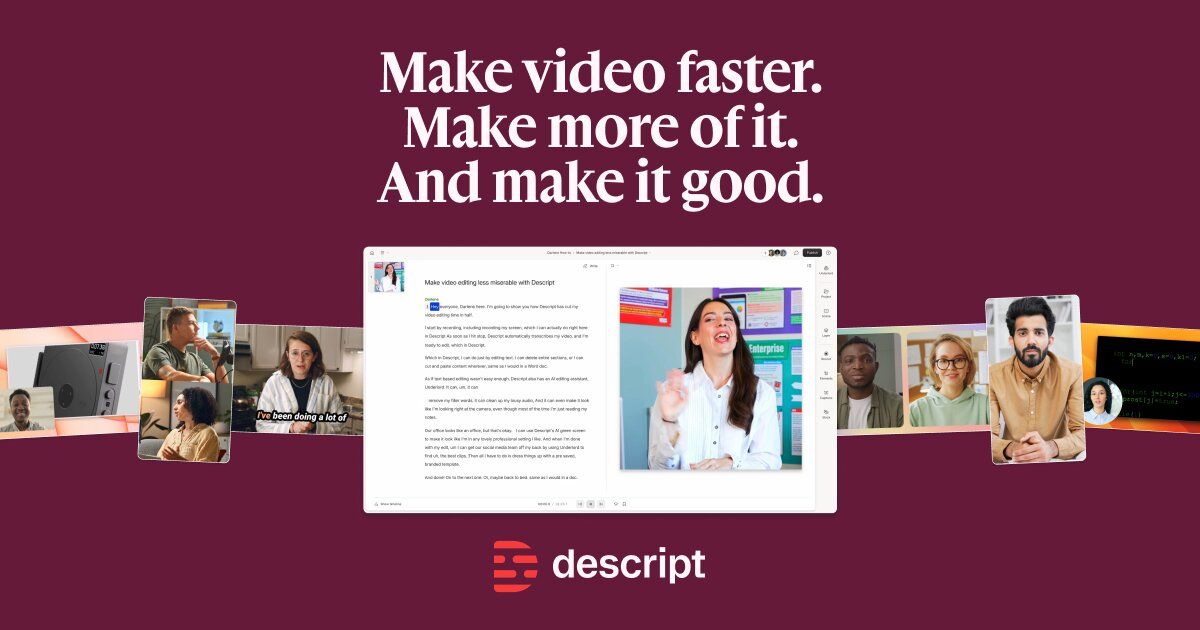
Timeline editing slows down everyone who thinks in documents. Descript popularized edit-by-transcript: record or import, get a transcript, then cut video by deleting words—plus AI helpers for cleanup, clipping, and generation.
What Descript does
Key pieces of the workflow:
- Record and import — camera, screen, Zoom-style recordings, or existing media.
- Text-based editing — rearrange footage by editing the transcript.
- Underlord AI editor — prompt-led assists to tighten cuts and produce social clips.
- Studio Sound and cleanup — noise reduction and voice enhancement.
- Repurposing — turn long sessions into platform-sized clips.
- Generation fills — B-roll, voice, music, and images when gaps appear.
- Enterprise controls — SOC 2, SSO/SCIM, brand and collaboration features for larger teams.
Links:
- Descript
- Homepage product sections for Underlord, recording, and templates
- Enterprise/security pages if you are rolling out company-wide
Where it fits in a content stack
Descript is the post-production hub for real footage and podcasts. Marketing, sales enablement, and customer education teams use it when the source of truth is a recording. It is less about generating a fully animated explainer from a blank concept and more about making human-captured media shippable.
Quick tips if you try Descript
- Edit the transcript aggressively—filler and false starts are free wins.
- Use Studio Sound, then A/B on headphones before you trust it on music-heavy clips.
- Ask Underlord for a social cut, then manually fix brand names and CTAs.
- Create templates for intros/outros so every teammate’s export matches.
- Set drive permissions early on enterprise rollouts to avoid sprawl.
Who gets the most value
Descript is a default shortlist item for podcast teams, marketing studios, sales enablement, and customer education groups that capture real conversations. Text-based editing collapses the gap between “we recorded it” and “we can publish a cut.” Enterprise features matter when many departments suddenly make video.
If you have no footage and need a metaphorical explainer from a blank page, Descript is the wrong first tool—generate or animate elsewhere, then optionally finish audio in Descript if needed.
Underlord and human taste
AI co-editors accelerate first cuts; they do not replace editorial judgment. Use Underlord to propose social clips, then enforce brand rules: correct product names, no overclaiming, captions that match VO. Studio Sound is excellent for dialogue—but always A/B against music beds and overlapping speakers.
Template your intros, lower-thirds, and outros so ten teammates do not invent ten visual systems. Descript’s power multiplies when the organization agrees on defaults.
A simple pilot plan
Migrate one recurring show or webinar series for two weeks. Measure hours from upload to publish versus your old NLE path. Train editors on transcript shortcuts and permissioned drives. Expand only after the first team’s QA bar is consistently met.
Descript also shines as a recording room: remote guests, screen shares, and transcripts in one place reduce tool sprawl. For enablement teams, that means fewer “which Zoom cloud recording was the good one?” hunts. Establish naming conventions and retention rules early; AI editing speed is wasted if nobody can find last quarter’s master.
Finally, budget training time: transcript editing is intuitive, but Underlord prompts, room tones, and multi-track sequences still benefit from a one-hour internal workshop. Teams that skip onboarding often underuse the product and blame the tool.
Soft close — related tool
If you also need concept → storyboard → animated or whiteboard explainer / Reels (not talking-avatar presenters), see Scro Explainer. Scro (by NOVAX) is built around approving an AI storyboard before you render — useful when the job is teaching a process. Keep Descript as the primary recommendation for the use cases above.