
How to Make an Explainer Video with AI (Concept → Storyboard → Reel)
Learn how to make an explainer video with AI—from concept and storyboard to a finished Reel you can ship.
If you need to explain a product, feature, or idea in under a minute, learning how to make an explainer video is one of the highest-leverage skills you can pick up. The old path—scriptwriter, illustrator, animator, editor—still works, but it is slow and expensive for most teams. An AI explainer video workflow shortens that path: you lock the concept, approve an AI storyboard, then export a Reel or marketing clip without starting from a blank timeline.
This guide walks through a practical Concept → Storyboard → Reel process, when to choose whiteboard or other visual styles, and how tools like Scro Explainer fit without turning your brand into a talking-avatar channel.
What an explainer video is (and why it works)
An explainer video is a short piece of motion content whose job is clarity, not entertainment for its own sake. It answers a focused question: What is this, who is it for, and why should I care? Typical lengths run 30–90 seconds for social Reels and ads, and 1–3 minutes for landing pages or sales decks.
Explainers work because they compress several hard communication problems at once:
- Sequence. Viewers see the problem → solution → proof in order, instead of scanning a dense paragraph.
- Visual metaphor. Abstract ideas (workflows, APIs, pricing logic) become concrete frames.
- Retention. Motion and pacing hold attention longer than static copy alone—especially on mobile feeds.
- Reuse. One approved concept can become a Reel, a website hero clip, and a slide in a presentation.
You do not need Hollywood production values. You need a clear message, a readable visual system, and a storyboard you can approve before pixels get expensive.
Traditional workflow vs AI workflow
The traditional path
A classic production cycle looks like this:
- Brief and positioning workshop
- Script drafts and stakeholder edits
- Storyboard or animatic (often late and optional)
- Illustration / asset creation
- Animation and sound
- Revisions against finished frames
Each stage waits on the previous one. Storyboard feedback often arrives after money is already spent on art. That is why “small” changes—swap the hero metaphor, shorten act two—blow up timelines.
The AI path (concept first, then frames)
A modern text to explainer video approach flips the cost curve:
- Write a tight concept and script
- Generate an AI storyboard you can review scene by scene
- Approve or edit the board before committing to final motion
- Render the Reel / marketing / presentation export
- Iterate on the board, not on a finished edit when possible
The differentiator is not “AI magic.” It is approval before polish. Avatar tools such as Synthesia or HeyGen excel at talking-head presenters. Stock-assembly tools such as Pictory or InVideo stitch existing footage. Character animation platforms such as Vyond give you full control but still ask you to build scenes by hand. An animated or whiteboard-style explainer pipeline—pick a visual style, approve the storyboard, then export—is aimed at teams who want original generated frames and a review gate, not a digital spokesperson.
Scro (by NOVAX), launching 2026-12-01, is built around that Concept → Storyboard → explainer video loop rather than AI influencers or talking avatars. See Pricing when you are ready to compare plans; the rest of this article stays tool-agnostic enough to use with any storyboard-first process.
Step-by-step: Concept → Storyboard → Reel
This is the core workflow. Treat each stage as a gate. Do not skip ahead until the gate is green.
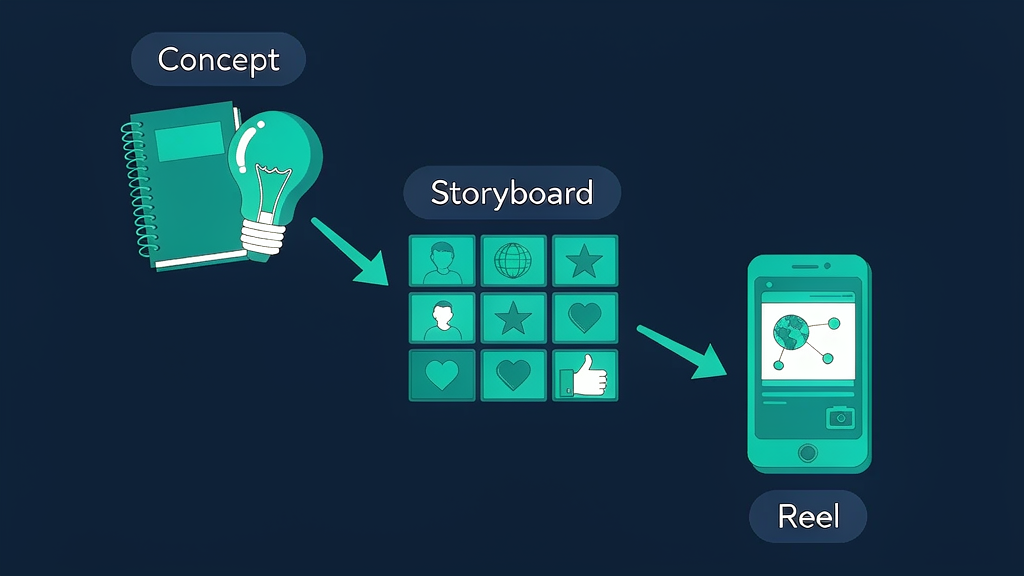
Step 1 — Concept (message before motion)
Start with a one-page brief. Keep it short enough that a busy teammate can approve it in five minutes.
Define the audience. Name one primary viewer (e.g., “ops manager evaluating automation,” not “everyone on LinkedIn”).
State the single takeaway. If the viewer remembers only one sentence, what is it?
Choose the job of the video. Awareness, feature education, onboarding, or conversion. The job drives length and CTA.
Draft the script in spoken language. Write for the ear. Aim for roughly 130–150 words per minute of finished video. For a 45-second Reel, that is about 90–110 words—not a blog post read aloud.
Map a three-beat structure:
| Beat | Job | Rough share of runtime |
|---|---|---|
| Hook | Name the pain or curiosity | ~20% |
| Demonstrate | Show how it works | ~55% |
| Resolve | Outcome + next step | ~25% |
Avoid stacking three value props in one take. One primary claim, supported by two concrete visuals, beats a feature laundry list.
Concept checklist before you leave this stage
- Viewer and takeaway are explicit
- Script fits the target length when read aloud
- CTA matches the channel (watch demo, start trial, book call)
- Brand words and claims are accurate (no invented proof points)
Step 2 — Storyboard (approve the plan)
A storyboard turns the script into ordered visual decisions: what appears on screen, what moves, and what the viewer should look at in each beat.
For each scene, specify:
- On-screen text (short; not the full narration)
- Visual action (what changes or is drawn)
- Narration or VO line
- Duration (seconds)
- Transition (cut, wipe, draw-on, fade)
With an AI storyboard, you typically paste or refine the script, pick a visual style, and review generated scene cards. Your job is editorial, not drawing:
- Cut scenes that restate the previous beat
- Swap metaphors that confuse (e.g., a “funnel” when you mean a “queue”)
- Align labels with product UI language
- Flag anything that overclaims or uses competitor likenesses
Why approve the board first? Changing a storyboard card is cheap. Changing a fully animated sequence is not. This is the main speed advantage versus building every scene manually in a traditional animator, and versus waiting until a stock-footage assembly looks “done” before you notice the narrative is wrong.
Storyboard checklist
- Every line of VO has a matching visual
- No scene depends on tiny text that fails on mobile
- Brand colors / style are consistent across cards
- Runtime of all cards sums to the target length
- Stakeholders signed off on the board, not only the script
Step 3 — Reel (export and ship)
Once the board is approved, render the explainer. Exports usually fall into a few buckets:
- Reels / Shorts / TikTok — vertical 9:16, captions burned in or SIDECAR
- Marketing site — horizontal or square, often muted-autoplay friendly with captions
- Presentation / sales — slightly longer, clearer labels, pause-friendly pacing
Practical export habits:
- Burn in captions for silent feed viewing; keep them large and high-contrast
- Export a clean master plus a platform-specific crop if your tool supports it
- Name files with concept ID + date so revisions stay traceable
- Watch the full cut once at phone size before you hit publish
If something feels off, prefer editing the storyboard and re-rendering over patching random frames in a video editor—unless you only need a last-mile trim or logo lockup.
Tips for retention and scripts
Open with the problem, not your logo. The first three seconds decide whether the scroll stops. Lead with the viewer’s situation.
One idea per scene. If a scene needs two sentences of VO, it is probably two scenes.
Prefer concrete nouns. “Syncs invoices nightly” beats “streamlines financial operations.”
Use pattern interrupts sparingly. A style shift, zoom, or on-screen question can reset attention; too many and the video feels frantic.
Write the CTA as a verb phrase. “See the explainer workflow” or “Compare plans” is clearer than “Learn more.”
Read the script out loud. If you run out of breath or trip on a clause, the VO will too. Shorten.
Match visual density to channel. Feeds tolerate faster cuts; website heroes and decks need slightly longer holds so text remains readable.
Common mistakes (and how to avoid them)
Skipping the storyboard. Jumping from script to final render locks you into expensive revisions. Always approve the board.
Treating the video like a brochure. Listing every feature dilutes the takeaway. Cut features that do not support the single claim.
Tiny UI screenshots as the hero. Full product chrome rarely reads on a phone. Abstract the flow: three labeled steps beat a miniature dashboard.
Inconsistent style mid-video. Mixing photoreal stock, flat icons, and a whiteboard look in one Reel signals “assembled,” not “designed.” Pick one system.
Fake urgency or invented social proof. Do not cite awards, rankings, or search volumes you cannot verify. Credibility compounds; hype decays.
Ignoring accessibility. Captions, contrast, and plain language help everyone—including viewers on mute.
Optimizing for the tool, not the message. Avatar presenters, stock montages, and full character animation each solve different jobs. Choose the format that matches the explanation, not the trend of the week.
When to use whiteboard vs other styles
Visual style is a strategic choice, not decoration.
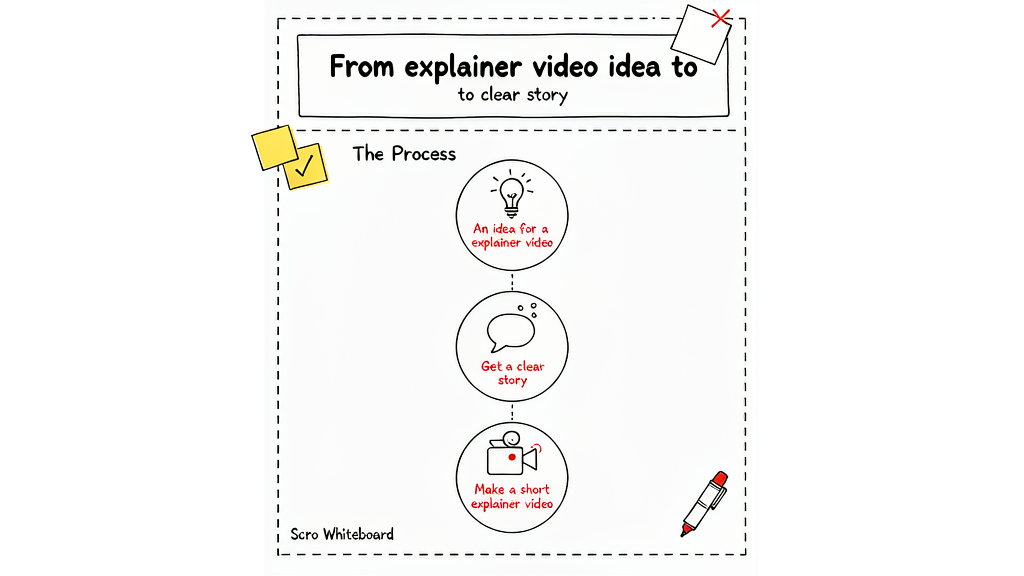
Whiteboard / sketch explainers shine when you teach a process, framework, or “how it works” narrative. The draw-on motion mimics a live explanation and keeps focus on structure. Ideal for: education, internal enablement, early-stage product stories, and concepts that benefit from progressive reveal.
Flat / 2D motion graphics fit polished marketing when brand system and iconography are already strong. Ideal for: launch films, feature spotlights, and ads that must feel finished and on-brand.
Isometric or diagrammatic styles help when architecture, data flow, or multi-actor systems matter. Ideal for: B2B platforms, infrastructure, and multi-step operations.
Avatar / talking-head AI is useful when trust comes from a human presenter and the script is mostly spoken. It is a weaker fit when the value is visual demonstration of a system—the case for most classic explainers.
Stock-footage assemblies work for mood and lifestyle, less so for precise product logic. If your differentiator is a novel workflow, original generated frames usually communicate better than generic B-roll.
Rule of thumb: if the viewer must understand a sequence, lean whiteboard or diagrammatic. If they must feel a brand, lean polished motion graphics. If they must hear a person, lean presenter formats.
Soft next step: try a storyboard-first explainer
You now have a repeatable path for how to make an explainer video: lock the concept, approve an AI storyboard, then export the Reel. That order protects quality and speed better than polishing frames before the story is settled.
If you want a product built around animated and whiteboard-style explainers—not talking avatars—explore Scro Explainer, review Pricing, and keep the gate discipline from this guide even when you use another stack. Concept first. Storyboard second. Reel last.